The Heating-Season Dispatch Checklist for HVAC and Plumbing Shops
Reading time: ~8 min
By Alex Gold, founder of Orcatec
Every fall there is one week when the schedule stops being a plan. The first real cold snap arrives, furnaces that sat idle since spring get switched on, water heaters that were limping along start to quit, and everyone calls before 9 AM.
The shops that get through that week calmly decided ahead of time which calls go first, how many slots to protect and what to tell customers who have to wait. This checklist is written for HVAC and plumbing shops, but it works for any trade with a seasonal rush.
On this page
- Why the first cold week breaks your schedule
- The heating-season dispatch checklist
- Triage rules: which calls go first
- How many emergency slots to hold each day
- Truck stock for heating season
- Customer communication templates
- How to set it up in Orcatec
- Frequently asked questions
- Sources
Why the first cold week breaks your schedule
The first cold week breaks schedules because demand arrives all at once instead of spreading out. Heating systems that have not run in months fail on the first cold morning, water heaters work harder, and pipe freeze risk rises. Most of these calls want same-day service, so a full maintenance calendar leaves no room for them.
Three things stack up at the same time:
- No-heat calls. Igniters, flame sensors and inducer motors that were marginal in spring fail on the first long run, usually discovered first thing in the morning.
- Water heater calls. Colder incoming water means a longer recovery for the same hot shower. A tank or element that was barely keeping up in September often gives out when the weather turns.
- Frozen and burst pipe risk. Pipes in crawl spaces and attics are the most likely to freeze, according to Michigan's MI Ready preparedness guide. A burst pipe jumps ahead of almost everything else.
Meanwhile the calendar is already full of tune-ups booked weeks ago. Without rules, the most insistent caller wins instead of the most urgent one.
The heating-season dispatch checklist
The checklist has 18 items across four stages: before the first cold snap, every morning during the season, when the phones spike, and after the rush. Print it, assign an owner to each item, and review it with your dispatcher and lead tech before the first freeze is in the forecast.
Before the first cold snap
- Pull last year's call history for the same weeks and count same-day and emergency calls per day.
- Decide how many emergency slots you will hold each day (method below) and what time unused slots get released.
- Confirm the on-call rotation for nights and weekends through the end of February, including who covers when the on-call tech is sick.
- Lock in time off early. Approve or decline vacation requests for the cold months now, not the week they happen.
- Restock trucks from a written heating-season list, and confirm your supply house hours for early mornings and holidays.
- Call or text customers with fall maintenance still due and book them before the cold arrives.
- Write a one-page triage script for whoever answers the phone (see the table below).
- Prepare your ETA, delay and reschedule text templates so nobody types them from scratch under pressure.
Every morning
- Check the forecast. If overnight lows drop sharply, expect more no-heat and frozen pipe calls by mid-morning.
- Review the day's board: which techs are out, which jobs are maintenance that could move, and where the open slots are.
- Confirm today's appointments with a reminder text so no-shows do not waste a slot you could give to an emergency.
- Give each tech a quick heads-up on which parts are running low on their truck.
When the phones spike
- Triage every call with the script before you promise a time.
- Offer non-urgent maintenance customers a new date and move them, with a clear text explaining why.
- Send the closest qualified tech to emergencies, not simply the next free one.
- Text every waiting customer an honest arrival window, and text again if it slips.
After the rush
- Review which parts ran out and add them to next year's list.
- Rebook every maintenance visit you postponed, within two weeks.
Triage rules: which calls go first
Calls go first when there is a safety risk, active property damage or a vulnerable person in the home. Everything else is scheduled by time waiting. The table below is a suggested starting point, not a standard: adjust the examples and target response times to your team size, service area and what you can realistically deliver.
| Priority | Examples | Suggested target response |
|---|---|---|
| P1: Safety or active damage | Burst pipe or active leak, no heat with an infant, elderly person or medical equipment in the home, no heat when indoor temperature is already very low | Same day, first available tech |
| P2: Urgent | No heat with a working backup heat source, no hot water, a water heater leaking slowly into a drain pan | Same day or first thing tomorrow |
| P3: Needed soon | Short cycling, noisy blower, slow drain, low water pressure | Within 2-3 business days |
| P4: Planned | Tune-ups, estimates, replacement consultations | Next open planned slot |
A gas smell is not a dispatch decision. Your call-taker should tell the caller to leave the building and call the gas utility or 911 from outside, then log the call so you can follow up.
How many emergency slots to hold each day
Hold roughly the number of same-day calls you received per day during the same weeks last year, then release unused slots at a fixed time each day. That way you have room for real emergencies in the morning and still fill the calendar with planned work in the afternoon.
Here is the method:
- Count same-day and emergency calls per day for the first three to four cold weeks of last year.
- Find the average and the busiest day.
- Hold the average as daily open slots. On days when the forecast calls for a sharp drop, hold closer to the busiest-day number.
- Pick a release time, such as noon, when unused slots go to the maintenance or estimate backlog.
Example (illustrative numbers): A shop with 4 techs runs about 6 jobs per tech per day, or 24 slots. Last year, the first four cold weeks averaged 7 same-day calls per day, with a peak of 11. The shop holds 7 slots per day (about 2 per tech) and releases unused ones at noon. On the two coldest forecast days, it holds 10 and moves a few tune-ups to the following week.
No history yet? Start with one open slot per tech per day.
Truck stock for heating season
Stock heating-season trucks from your own history: the parts you ran out of last winter, plus the parts that most often keep a system from running today. A generic list is a starting point only. Your brands, housing age and service area decide what actually belongs on the truck.
| Trade | Parts worth checking before the season |
|---|---|
| HVAC | Hot surface igniters, flame sensors, pressure switches, inducer motors, capacitors, limit switches, filters in common sizes |
| Plumbing | Water heater elements and thermostats, thermocouples, gas valves, heat tape, pipe repair clamps, common fittings for the pipe materials in your area |
If you also run electrical, appliance repair or handyman trucks, apply the same rule: add the parts that caused a second trip last winter.
Customer communication templates
Clear texts reduce repeat calls, because customers who know when you are coming do not call back to ask. Keep templates short, include the tech's name and an arrival window, and send an update as soon as a window slips. Here are three templates you can adapt.
ETA text: "Hi [Name], this is [Company]. [Tech] is on the way and should arrive in about [30] minutes."
Delay text: "Hi [Name], [Company] here. Our earlier calls are running long because of the cold. [Tech] is now expected between [time] and [time]. Reply here if you need us to reschedule."
Maintenance reschedule: "Hi [Name], because of today's cold weather we are prioritizing no-heat and leak emergencies. Can we move your tune-up to [date and window]? Reply YES to confirm or suggest another day."
How to set it up in Orcatec
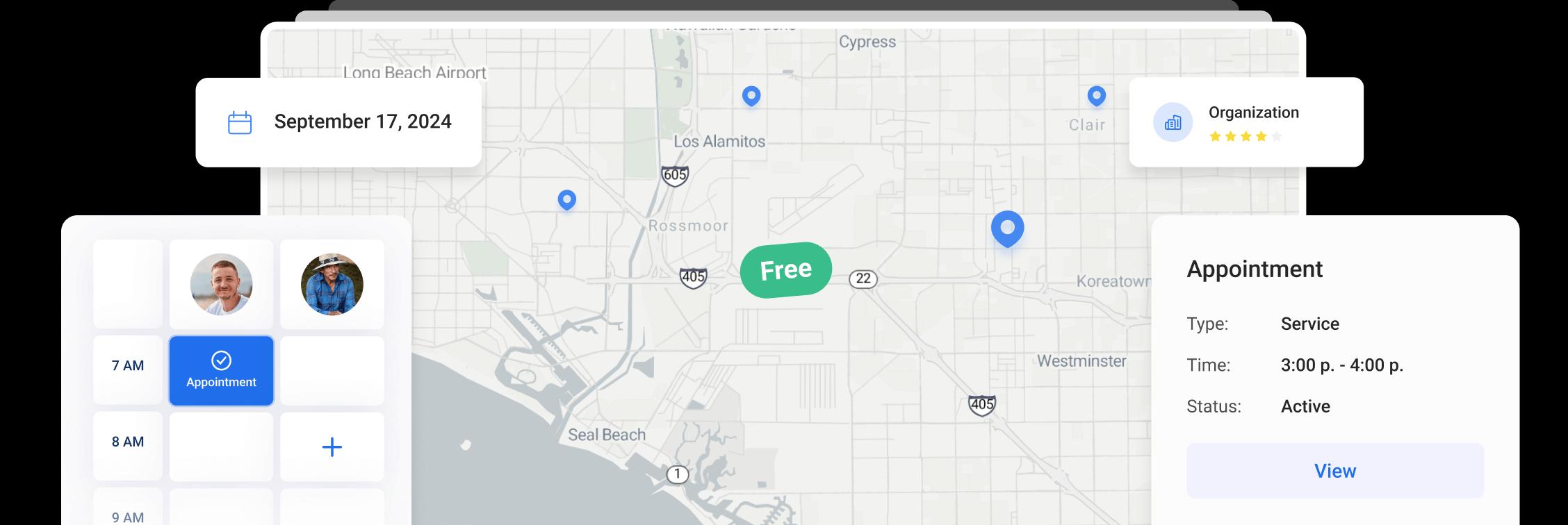
In Orcatec, you run this checklist from the Dispatch board, the Map and the automatic notification settings. Waiting calls sit in the Appt Queue, time off is blocked on the board, the Map shows which tech is closest, and reminder and En Route texts go out from Settings > Notifications without anyone typing them.
- Hold calls in the queue. New calls that are not yet scheduled can wait in the Appt Queue on the Dispatch board, so the dispatcher can sort them by priority before assigning a tech. The Dispatch guide covers the board, queues and columns.
- Block time off early. Record approved vacation and other absences as time off on the Dispatch board before the season starts, so nobody books a tech who is out.
- Find the closest tech. Open the Map, use Selected Employees to show the techs on shift and compare their schedules for the day. Live locations and trails require the optional GPS Tracking add-on and techs using the mobile app. See The Map in Orcatec: A Complete Beginner's Guide.
- Automate reminders and ETA texts. In Settings > Notifications, the Automatic Reminder Event sends a reminder 24 hours before an appointment by default, and the En Route Event sends the "on my way" text with the tech's name and estimated arrival. Check the Time of sending notification window (10:00 AM - 07:00 PM by default). A new template applies only to events created after the change, so update templates before the rush.
- Move maintenance cleanly. Recurring maintenance visits live in the Recurring Appointments queue on the Dispatch board, which makes it easier to see what can move when emergencies stack up.
Frequently asked questions
How many emergency slots should I hold per day in heating season?
Start with the average number of same-day calls you had per day during the same weeks last year, and hold that many open slots. Release unused slots at a fixed time, such as noon, so they get filled with planned work. If you have no history, hold one slot per tech per day and adjust after the first week.
Which calls should go first during a cold snap?
Safety risks and active damage go first: burst pipes, active leaks and no-heat calls where an infant, elderly person or someone on medical equipment is in the home. Next come no-heat calls with a backup heat source and no-hot-water calls. Tune-ups and estimates move to the next open planned slot. Gas smells go to the utility or 911 first.
Should I pause maintenance visits during the first cold week?
You do not need to cancel them, but treat them as movable. Book as many tune-ups as possible before the cold arrives, and when emergencies stack up, text maintenance customers with a specific new date. Rebook everything you postponed within two weeks, or those customers become next year's no-heat calls.
How should I handle after-hours calls in winter?
Set a written on-call rotation before the season, with a backup for sick days. Route after-hours callers to a message that separates emergencies (no heat, leaks, burst pipes) from routine requests, and tell routine callers exactly when you will call back. Disclose any after-hours fee before you dispatch, not on the invoice.
Sources
Other Articles
Brown Friday Is Coming: A Holiday-Week Playbook for Plumbing Companies
The day after Thanksgiving is the busiest day of the year for many plumbers. Here is a practical playbook for staffing, truck stock, customer texts and fair holiday pricing so your team gets through the rush without burning out.
9 min read Sep 28, 2026
GPS Tracking Your Technicians Without Killing Trust
GPS tracking helps you send the closest tech and give honest ETAs, but rolled out badly it feels like surveillance. Here is what it is for, what the law says in plain words, and a policy your team can live with.
6 min read Sep 28, 2026
The Heating-Season Dispatch Checklist for HVAC and Plumbing Shops
The first cold week hits every shop at once. This 18-item checklist covers what to do before the cold snap, every morning, when the phones spike and after the rush, with triage rules and a simple way to decide how many emergency slots to hold.
4 min read Sep 28, 2026
All-In-One Home Services Management Software


4.95 from 5 based on 17 reviews
Get our latest news